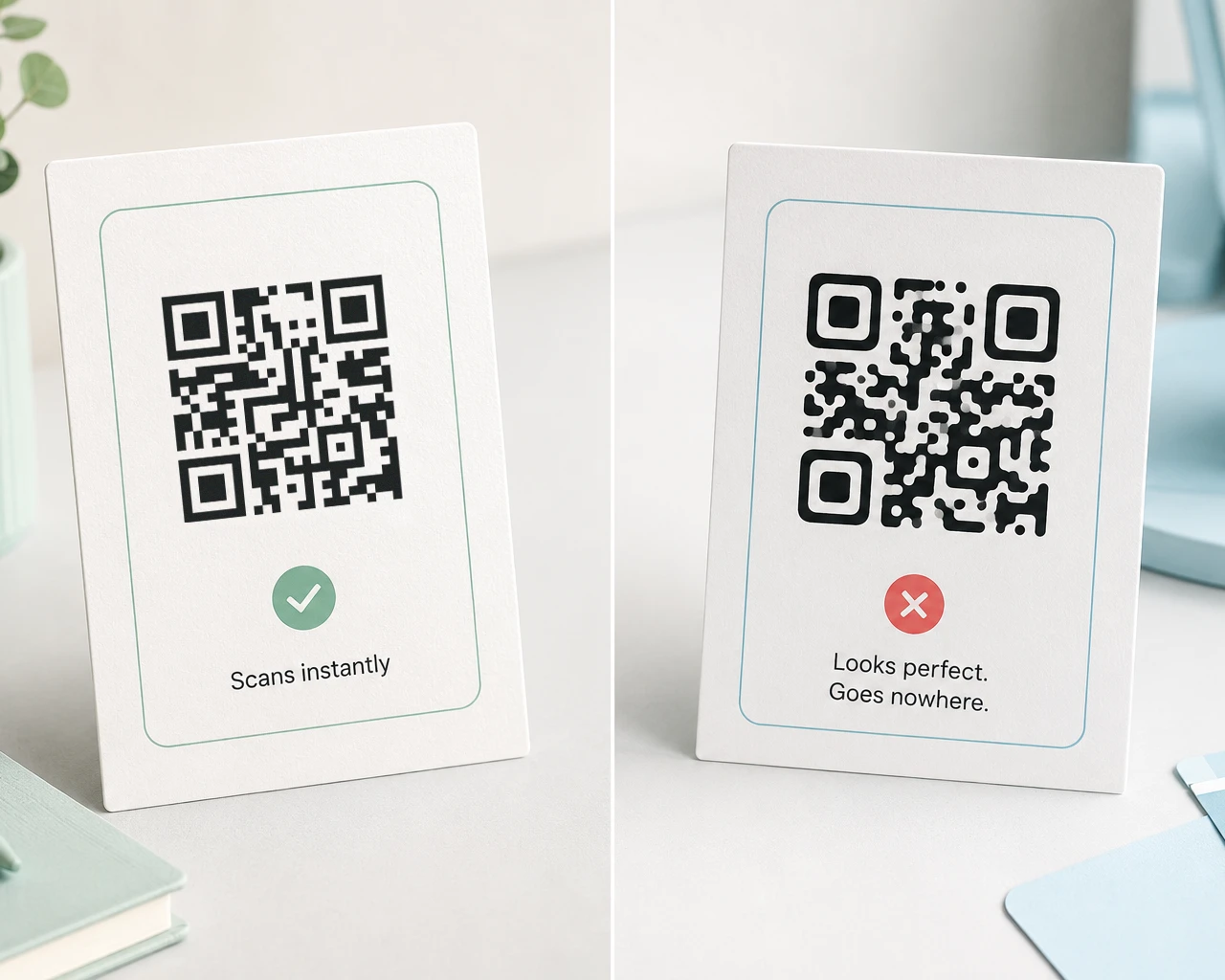
Some QR codes look calm and easy to scan. Others look like a tiny black-and-white screen full of static.
That difference is not magic. It is data density.
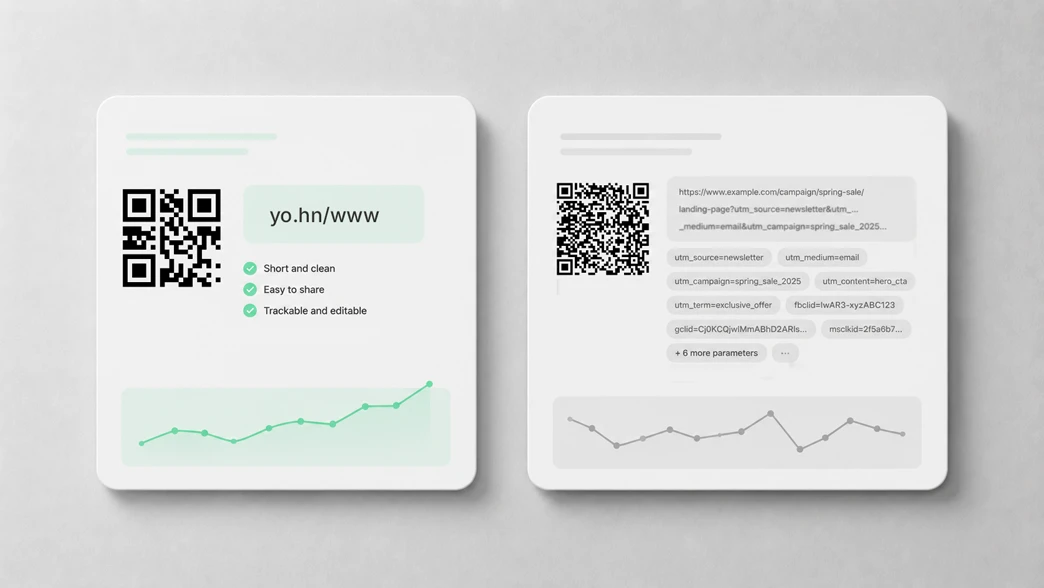
A QR code is not just “a square with a link inside.” It is a physical data object. The more characters you put into it, the more modules it needs, and the harder it becomes to print small, show on a projector, place on packaging, or scan through a video call.
That is why short links matter. A QR code should not carry your entire marketing plan. It should carry a tiny, stable doorway.
QR codes have versions
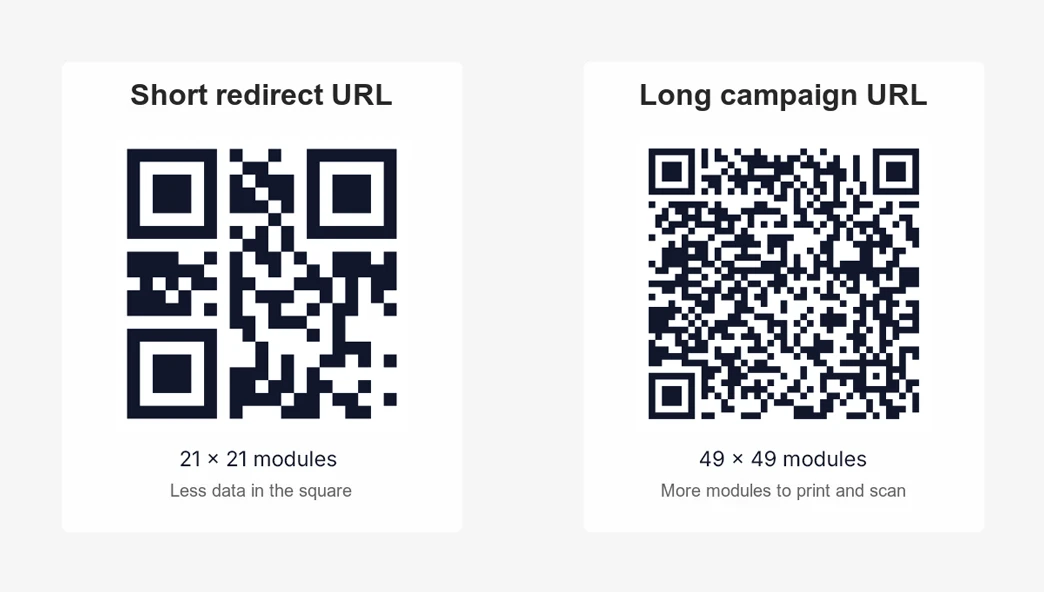
Standard QR codes have 40 symbol versions. According to DENSO Wave, the company behind QR Code technology, Version 1 is 21 × 21 modules and Version 40 is 177 × 177 modules. Each higher version adds 4 modules per side. A module is one of the small black or white squares that make up the code.
In practical terms:
- More encoded data usually means a higher QR version.
- A higher version means more modules.
- More modules mean each module becomes smaller when the printed QR code size stays the same.
- Smaller modules are easier to blur, damage, misprint, compress, or miss with a phone camera.
Version 1 is the tiny studio apartment of QR codes. Version 40 is the data warehouse with a square roof.
QR codes can hold a lot. You probably should not make them do it.
The theoretical maximum capacity is impressive. DENSO Wave lists maximum QR code capacity as 7,089 numeric characters, 4,296 alphanumeric characters, 2,953 bytes, or 1,817 Kanji characters.
That is the “technically possible” answer. It is not the “please put this on a product label” answer.
For real-world QR codes, maximum capacity is usually the wrong goal. The better goal is scan reliability:
- Can someone scan it from the back of a room?
- Can it survive being printed small on a sticker?
- Can it still work after compression in a virtual background?
- Can it be engraved, embossed, or printed on imperfect material?
- Can it scan quickly without making the user adjust distance and focus?
If the answer matters, keep the encoded content short.
Error correction is useful, but it is not free
QR codes have error correction. That means a code can still be read even when part of it is dirty, damaged, hidden, or imperfectly printed.
There are four common error correction levels:
| Level | Approx. recovery | Practical meaning |
|---|---|---|
| L | 7% | Maximum capacity, least tolerance |
| M | 15% | Common general-purpose choice |
| Q | 25% | More robust, less capacity |
| H | 30% | Best for damage or logos, but denser |
DENSO Wave explains that raising the error correction level improves recovery capability, but it also increases the amount of data in the QR code size calculation. In plain language: stronger error correction leaves less room for your actual content at the same QR version.
Error correction is like bubble wrap. Very useful, but if you use too much, there is less room left in the box.
Why short links matter physically
A QR code does not care whether the final destination page is simple or complicated. It only cares about the actual characters encoded inside the square.
This short redirect URL:
https://yo.hn/www
creates a much simpler QR pattern than this campaign URL:
https://example.com/product/category/summer-campaign-2026?utm_source=flyer&utm_medium=print&utm_campaign=spring_launch&utm_content=back_cover
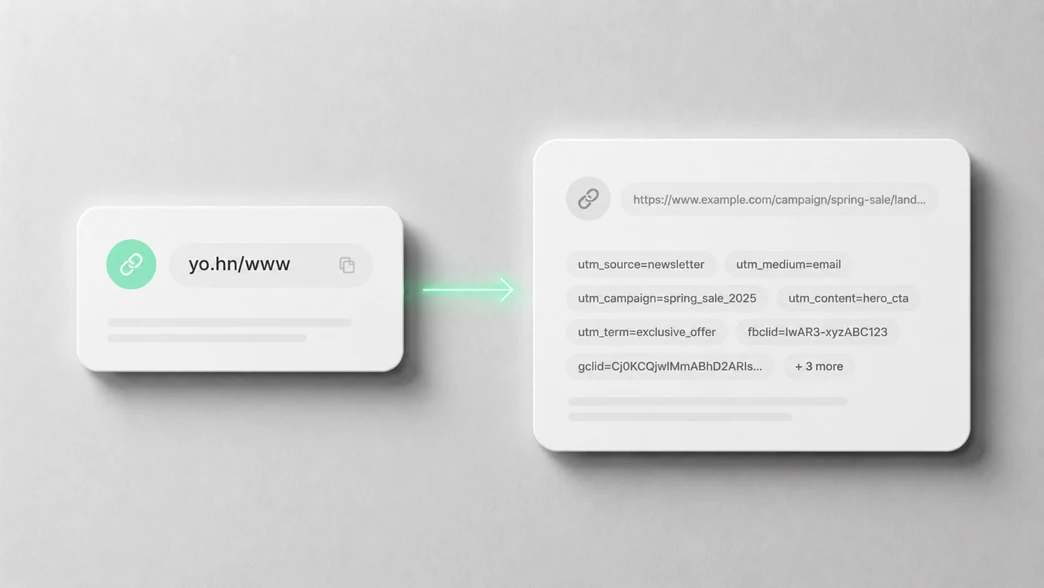
The long URL may be perfectly valid. It may include useful UTM parameters. It may point to the exact landing page your campaign needs.
But that does not mean it belongs directly inside the QR code.
With a short dynamic QR redirect, the printed QR code contains the short URL. The long destination URL sits behind the redirect. You can keep the printed code small and clean while still sending visitors to a full campaign URL with analytics parameters.
Even better, the printed QR code can stay the same while the destination changes later.
Use UTM parameters behind the redirect
UTM parameters are useful for print campaigns, packaging, trade shows, and offline attribution. They help your analytics tool understand where traffic came from.
The problem is that UTM URLs are long. If you put the full UTM URL directly inside the QR code, you make the QR code denser than it needs to be.
The better setup is:
- Build the full destination URL with UTM parameters.
- Create a short redirect URL for it.
- Generate the QR code from the short URL.
- Track visits in your existing analytics platform.
- Update the destination later if the campaign changes.
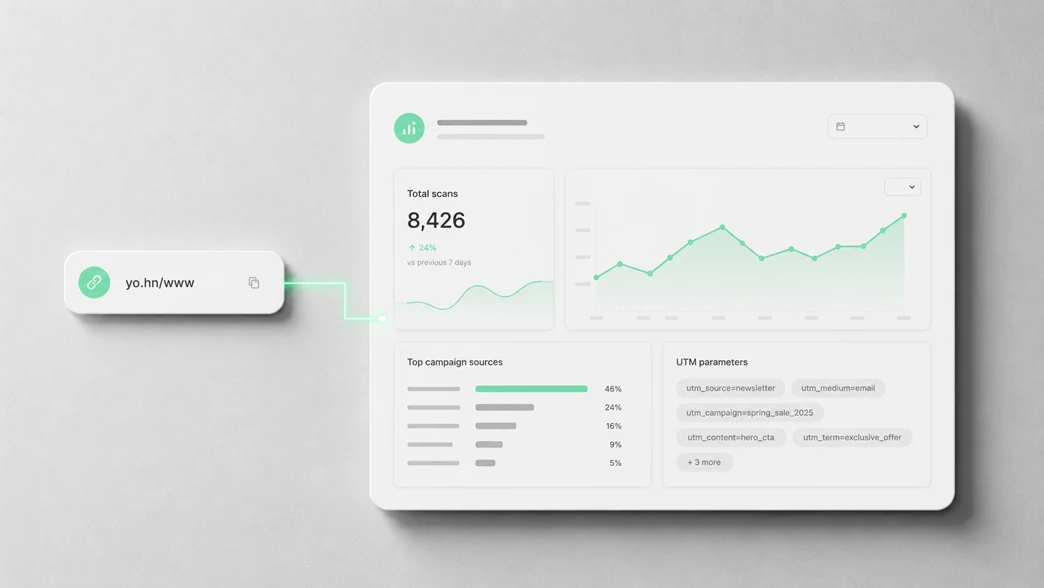
That gives you measurement without forcing the printed QR code to carry every tracking parameter directly.
For a deeper tracking workflow, read Why UTM Tags Are Crucial for QR Codes and Print Campaigns.
Where dense QR codes cause problems
Dense QR codes are not always a disaster. A large QR code on a clean screen may still scan well. Problems start when the physical environment gets less forgiving.
Print materials
Flyers, brochures, product inserts, restaurant menus, badges, and stickers often have limited space. A smaller QR code gives the design more room, but only if the modules remain large enough to scan cleanly.
Short URLs help because the QR code can stay visually simpler at the same physical size.
Packaging and labels
Packaging adds more variables: curved surfaces, glossy finishes, folds, small print areas, ink spread, scratches, and poor lighting.
If a QR code will live on packaging for months, make it simple. A short dynamic URL also protects you if the destination needs to change after the packaging has already been printed.
Presentations
A QR code on a slide is often scanned from a distance, at an angle, or from the back of a room. Dense QR codes make that worse. Projectors, screen sharing, and video compression can all soften the edges between modules.
For slides, the rule is simple: use a short URL and make the QR code larger than you think you need.
Virtual backgrounds and video
Video is especially rough on QR codes. Autofocus, motion blur, compression, low resolution, and background replacement can all damage the code visually.
If your QR code appears in a webinar, livestream, or virtual background, avoid dense patterns.
Engraving and physical products
Engraving, embossing, laser marking, and tiny product labels need generous module size. Fine detail can disappear into the material. A short encoded URL gives the QR code more breathing room.
Practical rule of thumb
If the QR code will be printed small, engraved, placed on packaging, shown on slides, or compressed through video, keep the encoded URL as short as possible.
Use UTM parameters in the destination URL behind the redirect, not directly in the QR code.
That is the technical reason dynamic QR codes with short yo.hn links are useful. The printed code remains small and stable. The destination can still be changed later. Your analytics can still work. Your QR code does not have to become pixel soup.
Static QR code or dynamic QR code?
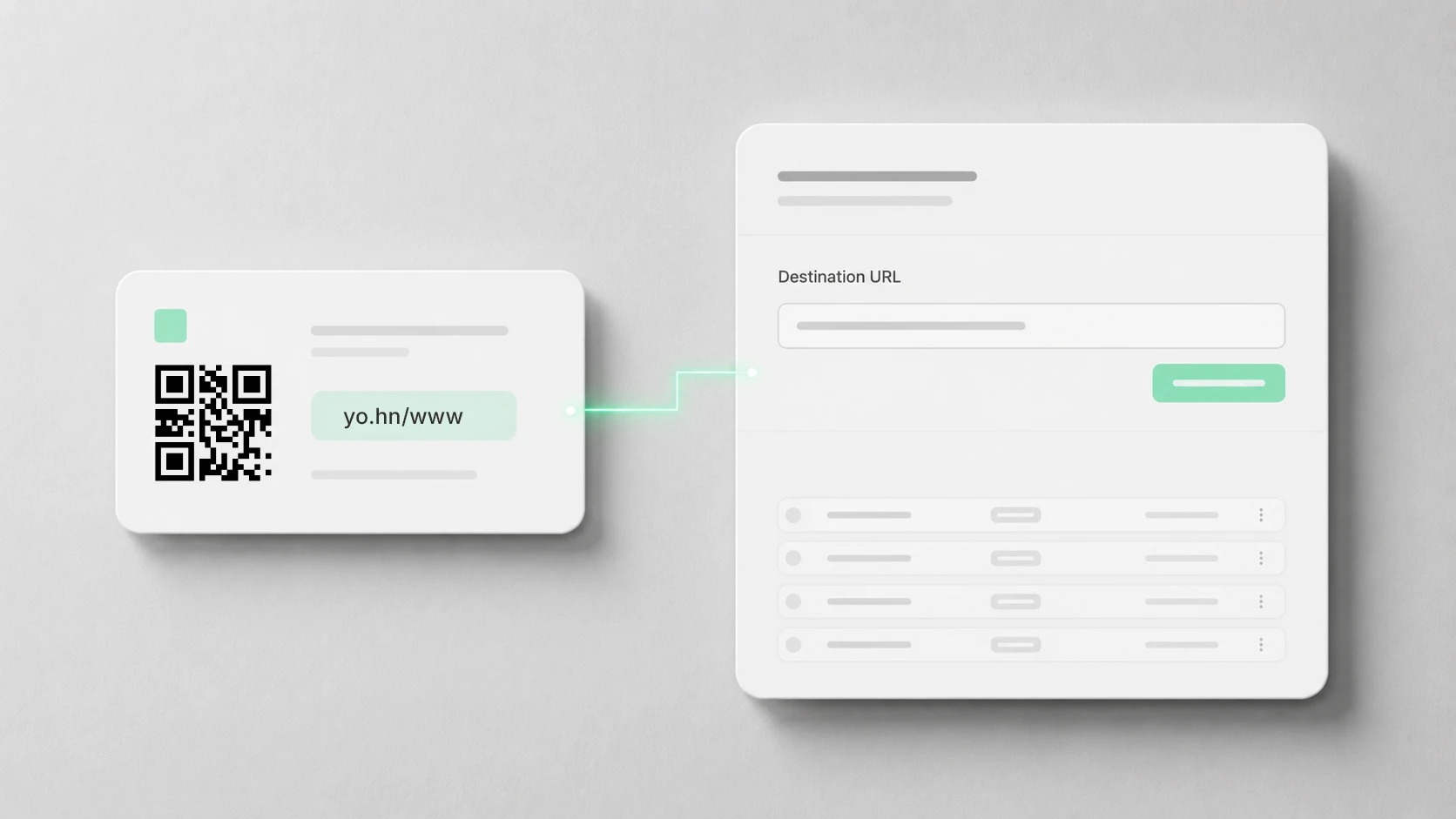
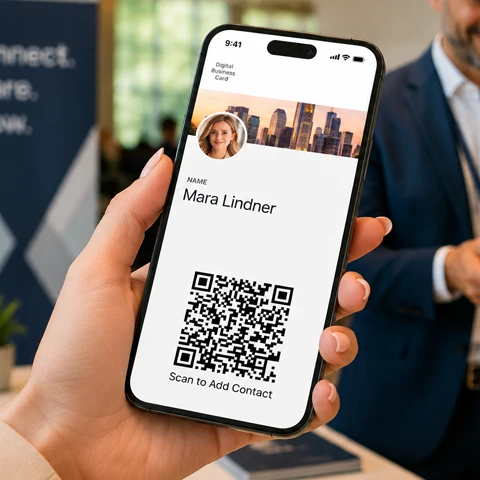
Use a static QR code when the encoded content is short and will not change. A Wi-Fi code, plain text code, GiroCode payment QR, or simple contact QR code can work well as a static code.
If the QR code points to a website, landing page, form, product page, booking page, or campaign URL, use a short dynamic link. Link QR codes benefit most from staying small, editable, and easy to track — especially when the QR code will be printed, shared, or used for years.
Use a dynamic QR code when:
- The destination might change later.
- The QR code points to a URL.
- The QR code will be printed in quantity.
- The URL contains tracking parameters.
- You need a small QR code for packaging, events, or presentations.
- You want a branded short link instead of a long raw URL.
If you just need a quick static URL QR code, use the free URL-to-QR code generator. If you need editable destinations and short QR redirects, use dynamic QR codes or branded short links.
Final takeaway
QR codes can store lots of data, but physical-world QR codes should store as little as possible.
Keep the printed code small. Keep the destination flexible. Put the complexity behind the redirect, not inside the square.
When the QR code needs to survive print, packaging, presentations, video compression, stickers, or engraving, a short dynamic link is often the cleaner long-term choice.
Create a tiny dynamic QR code
Use a short yo.hn redirect, keep your printed QR code simple, and change the destination later without reprinting.
Pay once. Use it for 10 years. No subscription, no monthly QR code dashboard, no surprise “your printed QR code stopped working” moment.