Yohn.io: Free Online YouTube QR Code Generator
Thank You!
We have sent the QR code to your e-mail address.
An error has occurred
Please try again later, server is not available now.

Generate QR codes for YouTube
Paste a YouTube video, channel, Shorts, or playlist URL and generate a QR code locally in your browser.
Compare your original QR code with an optimized version for small print, labels, stickers, and engravings.
Standard QR
Tiny QR
Optimized payload:
This text is already encoded efficiently, so no smaller Tiny QR version is available.
Tiny QR mode does not use custom compression. It keeps the QR code standard and scannable by normal phone cameras, but formats the payload in a QR-friendly way where safe.
Your QR code has been saved to your inbox.
We saved your request, but inbox delivery is not available yet. Use the downloads above.
Your QR code copy was saved. Use the downloads above if you need another file.
Could not complete the server request. Please try again.
Generate QR codes for YouTube
Paste a YouTube video, channel, Shorts, or playlist URL and generate a QR code locally in your browser.
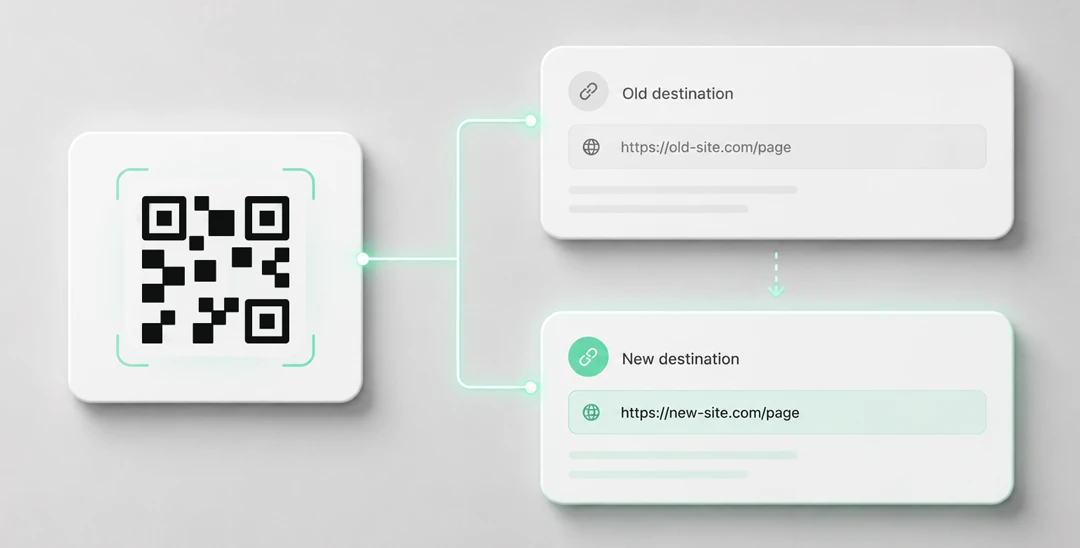
Need editable QR codes with unlimited scans?
Create a dynamic QR code


Create a QR Code for a YouTube Link
Yohn.io’s free YouTube QR code generator turns YouTube videos, channels, playlists, Shorts, and live stream links into scannable QR codes. It is a simple way to move people from a physical object - a poster, flyer, package, business card, table tent, handout, or presentation slide - straight to your video content without asking them to type a long URL.
This is especially useful when the video is part of a real-world experience. A product can link to an installation guide, a museum label can open a curator’s explanation, a restaurant sign can point to a behind-the-scenes clip, and an event poster can send visitors to a trailer, recap, or live stream. Instead of hoping people search for the right title later, the QR code gives them a direct path while their interest is fresh.
The QR preview and downloads are generated privately in your browser. Your YouTube URL stays on your device unless you choose to save a copy to your inbox.
What Is a YouTube QR Code?
A YouTube QR code is a regular QR code that contains a YouTube URL. When someone scans it with a phone camera, the device opens the linked video, channel, playlist, Short, or live stream in the browser or YouTube app, depending on the user’s settings.
That makes it useful anywhere a clickable link is unavailable or inconvenient. Printed materials, physical displays, packaging, classroom handouts, conference signage, and presentation slides can all become entry points to video content.
How to Generate a YouTube QR Code
Yohn.io keeps the process short so you can create a QR code in a few steps:
- Scroll to the YouTube QR code generator form at the top of this page.
- Paste your YouTube URL.
- Click “Generate QR code”.
- Check the preview and scan it with your phone.
- Download the QR code as SVG or PNG, or optionally save a copy to your inbox.
Use SVG when you plan to place the QR code in print layouts, because it stays sharp at any size. Use PNG when you need a quick image for a document, slide, email, or simple design tool.
Use Cases for YouTube QR Codes
YouTube QR codes are helpful whenever video adds context that would be hard to fit on the printed item itself:
- Product packaging: Link to setup instructions, safety videos, unboxing guides, troubleshooting clips, or care instructions.
- Retail displays: Let shoppers watch demos, reviews, comparison videos, or product stories while they are near the item.
- Events and conferences: Add QR codes to posters, badges, booth signage, or printed programs to open trailers, speaker videos, live streams, or recap playlists.
- Education and training: Put a QR code on worksheets, classroom walls, manuals, or equipment so students and trainees can open the exact video lesson they need.
- Restaurants and venues: Link menus, table signs, or flyers to chef introductions, music performances, venue tours, or promotional videos.
- Business cards and portfolios: Send people to an intro video, showreel, customer story, or YouTube channel without crowding the design with a long link.
Advantages of Using Yohn.io for YouTube QR Codes
Yohn.io is designed for quick, distraction-free QR code creation:
- Free to use: You can generate YouTube QR codes without paying or creating an account.
- Private browser generation: The preview and downloadable files are created locally in your browser.
- No ads in the generator flow: The page stays focused on the QR code you are making.
- SVG and PNG downloads: Use the format that fits your workflow, from print layouts to quick digital sharing.
- Optional email backup: If you want a copy in your inbox, you can save it there instead of hunting for the file later.
Supported YouTube Links
You can use standard YouTube URLs such as youtube.com/watch, short links from youtu.be, Shorts links, channel URLs, playlist URLs, and privacy-enhanced youtube-nocookie.com video links.
Tips for Better YouTube QR Codes
- Link to the most useful destination: For one video, link directly to the video. For a series, a playlist may be better. For long-term promotion, a channel link may make more sense.
- Check mobile playback: Scan the QR code on a phone and confirm that the destination opens cleanly before printing.
- Avoid overly small codes: Printed QR codes should be large enough to scan from the expected distance. A tiny code on a poster across a room will frustrate people.
- Keep contrast high: Black on white is the safest choice, especially for print.
- Place it near a clear call to action: A short label such as “Watch the demo” or “Open the video guide” helps people understand why they should scan.
A YouTube QR code is a small bridge between offline attention and video engagement. Use it when the best explanation, proof, tutorial, or story is already on YouTube and you want people to reach it immediately.