Free Wifi-to-QR Code Generator
Thank You!
We have sent the QR code to your e-mail address.
An error has occurred
Please try again later, server is not available now.

Generate QR codes for WiFi
Fill in all fields and we'll generate a QR code
Your QR code has been saved to your inbox.
We saved your request, but inbox delivery is not available yet. Use the downloads above.
Could not complete the server request. Please try again.
The content changed. Generate the QR code again before downloading.
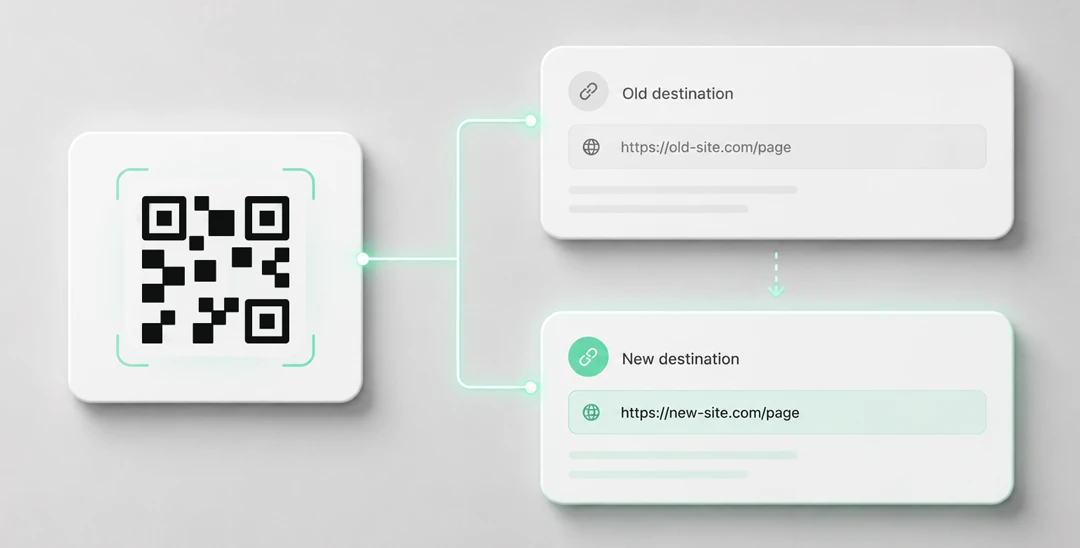
Need editable QR codes with unlimited scans?
Create a dynamic QR code





Simplify Network Credentials Sharing with Yohn.io’s Free Online WiFi QR Code Generator
In the age of seamless connectivity, sharing WiFi access details can sometimes be a cumbersome process. However, with the advent of QR code technology, a convenient solution has emerged. Yohn.io’s WiFi-to-QR code generator allows you to convert your wireless network’s access information into a scannable QR code, making it effortless for others to connect.
What is a WiFi-to-QR Code Generator and Why Would One Need It?
A WiFi-to-QR code generator is an online tool that transforms your WiFi hotspot access details, such as network name, password, encryption type, and hidden network status, into a QR code. This QR code acts as a visual representation of your network credentials, allowing others to connect to your WiFi network quickly and easily. Gone are the days of manually typing in lengthy and complex passwords. With a simple scan of the QR code, users can effortlessly access the network, making it a time-saving and convenient solution for sharing WiFi.

How Do I Generate a QR Code from WiFi Hotspot Access Details Using Yohn.io?
Yohn.io offers a seamless and user-friendly experience for creating QR codes from WiFi hotspot access details. The process is straightforward and can be completed in a few simple steps:
Step 1: Scroll up to the WiFi-to-QR code generator form at the top of this page.
Step 2: Enter the name of your wireless network and the corresponding password into the designated fields.
Step 3: Choose the encryption type that matches your WiFi network’s security settings.
Step 4: Specify whether your network is hidden or not.
Step 5: Click on the “Get QR Code” button to initiate the code generation process.
Step 6: Download the QR code directly in your browser, or optionally enter your email address to save a copy to your inbox.
The QR code preview and downloads are generated locally in your browser. Your network details stay on your device unless you choose the inbox option, which sends the QR payload to Yohn.io so we can email the SVG and PNG attachments.
Your WiFi Password Stays Under Your Control
WiFi credentials are sensitive data. With many online QR tools, it is not always obvious whether the network name and password you enter are processed only in your browser or sent to a remote service as part of QR generation.
Yohn avoids that ambiguity. The QR code is created locally in your browser, so your network name, password, encryption type, and hidden-network setting do not need to leave your device just to generate or download the code.
You stay in control of when data is shared. Only if you explicitly choose the optional email feature are the QR payload and your email address sent to Yohn.io so we can deliver the SVG and PNG files to your inbox.
The Advantages of Yohn.io’s WiFi-to-QR Code Converter
Yohn.io’s WiFi-to-QR code converter offers numerous advantages that make it a standout choice for WiFi sharing. Let’s explore some of these key benefits:
a) Privacy by Design: QR code generation happens locally in your browser. Your WiFi credentials remain on your device unless you explicitly choose the optional email-delivery feature.
b) It’s Free: Yohn.io’s online QR code generator comes at no cost. You can create QR codes for your WiFi networks without any financial obligations or hidden charges.
c) Ad-Free Experience: Unlike some other services, Yohn.io ensures an ad-free environment. You can generate your QR codes without interruptions or distractions.
d) Simplicity and Ease of Use: Yohn.io prides itself on its user-friendly interface. With a straightforward form and intuitive design, generating a QR code for your WiFi network is effortless, even for those who are less tech-savvy.
e) Optional Email Delivery: If you choose to provide your email address, Yohn.io sends the generated QR code to your inbox so you can easily access it later. This is optional; generating and downloading the QR code itself does not require sending your WiFi credentials to Yohn.io.
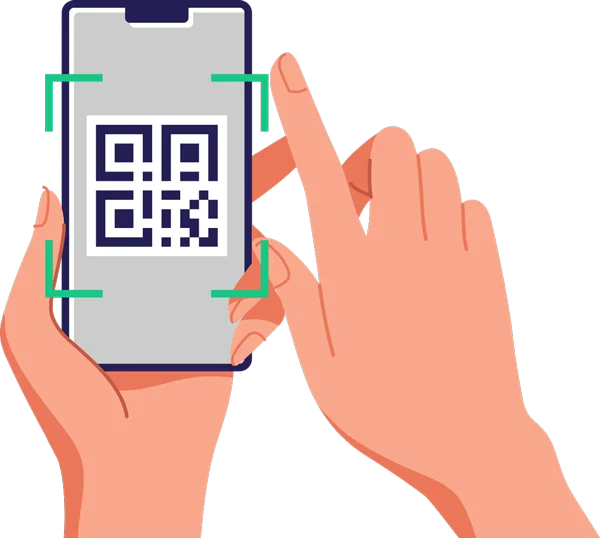
Tips and Tricks for QR Codes
While QR codes offer a convenient method for sharing WiFi access, it’s important to consider a few tips and tricks to ensure optimal performance and usability. Here are some recommendations to keep in mind:
a) QR Code Size: When printing QR codes, it’s crucial to select an appropriate size that balances readability and scanning distance. Ideally, the QR code should be large enough to be scanned easily without being too overwhelming. A size of around 2-3 inches square is generally recommended for optimal results.
b) Placement and Visibility: Ensure that the QR code is placed in a prominent location, visible to those who need to connect to the WiFi network. Avoid positioning the QR code in areas with poor lighting or obstructions that may hinder the scanning process.
c) Test Scanning: Before sharing the QR code, it’s advisable to test it yourself to ensure its readability. Use different QR code scanning apps on various devices to verify that the code can be easily scanned and interpreted by different smartphones or tablets.
d) Regularly Update QR Codes: If you change your WiFi password or network settings, it’s important to generate a new QR code to reflect the updated information. This ensures that anyone scanning the code can access the network without any issues.
e) Share Instructions: While QR codes are becoming increasingly popular and recognizable, it’s still helpful to provide accompanying instructions for those who may be unfamiliar with scanning QR codes. A brief description or a set of simple steps can assist users in successfully connecting to the WiFi network.
Yohn.io’s free online WiFi-to-QR code generator simplifies the process of sharing WiFi access details. By converting your network’s information into a scannable QR code, Yohn.io eliminates the need for manual entry of complex passwords and provides a hassle-free method for connecting to WiFi networks. With its user-friendly interface, secure email storage, and ad-free experience, Yohn.io stands out as an excellent tool for creating QR codes for WiFi sharing. By following a few tips and tricks, such as choosing an appropriate QR code size and regularly updating codes, you can enhance the overall usability and effectiveness of your WiFi QR codes. Simplify WiFi sharing and make connectivity a breeze with Yohn.io’s WiFi-to-QR code generator.