AI image tools are now part of normal design work.
People use them to create business cards, flyers, product packaging, social media graphics, presentation slides, restaurant menus, and ads. That is useful. It is fast. It can make rough designs look polished.
But there is one small square on those designs that should make everyone slow down for a moment:
The QR code.
A QR code is not just a decorative image. It is machine-readable data. Your phone camera is not admiring the composition. It is trying to decode a structured pattern of black and white modules.
That difference matters because AI image models optimize appearance. They do not guarantee machine readability.
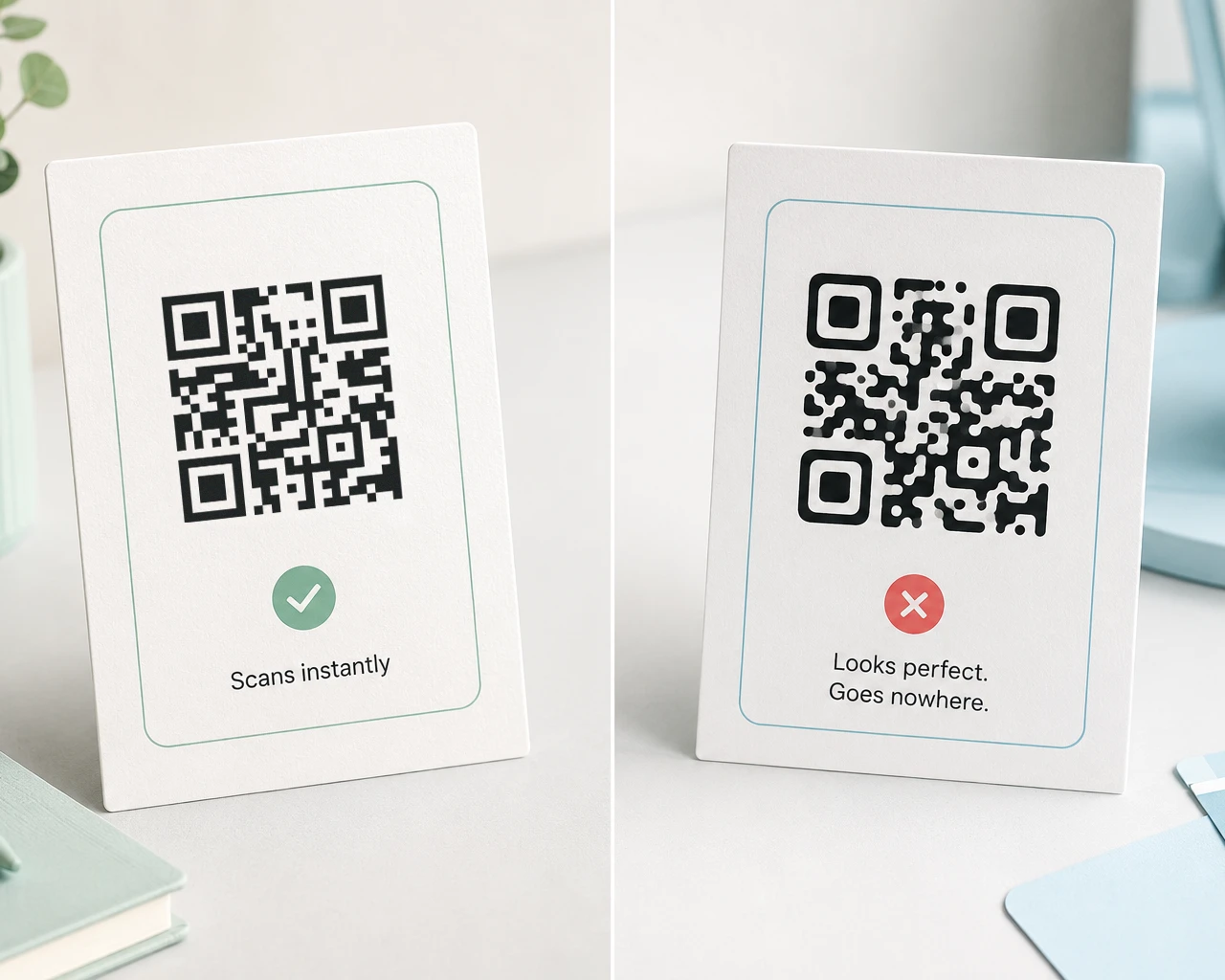
An AI-generated QR code may look clean. An AI-enhanced QR code may look sharper. A redesigned flyer may look more professional. And the QR code may still be broken.
That is the quiet danger: a broken QR code can look completely normal.
A QR code is not just an image
Most graphics can tolerate small visual changes.
If a photo is slightly softened, it is still a photo. If a logo shadow is adjusted, the brand may still be recognizable. If a product mockup gets a little extra contrast, nobody panics.
A QR code is different.
It contains structured data. The small black and white squares, called modules, are not decoration. They represent encoded information, positioning patterns, timing patterns, format data, and error correction.
Visual similarity is not enough.
Two QR codes can look almost identical to a human and behave very differently to a scanner. If the wrong modules are changed, softened, covered, stretched, or hallucinated back into place, the code may stop resolving.
That is why “it looks fine” is not a QR testing strategy. It is a mood.
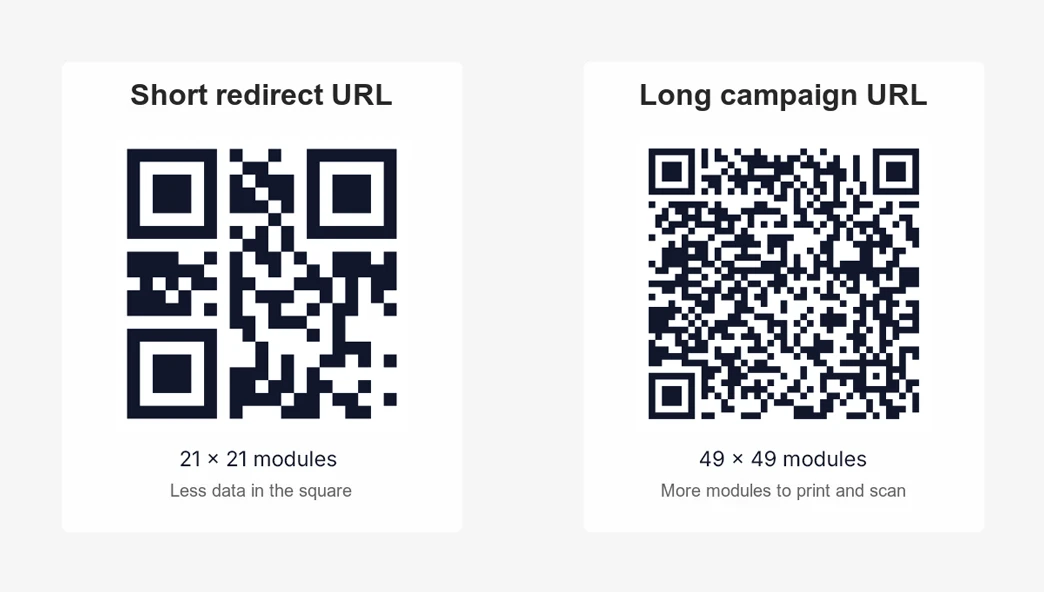
If you want a deeper explanation of why QR structure and density matter, read Why Your QR Code Looks Like Pixel Soup: QR Code Capacity Explained.
How AI image models break QR codes
AI image models are very good at making images look intentional.
That is also the problem.
When an AI model sees a QR code inside a flyer or business card, it may treat the QR code like a texture. It may preserve the general look while redrawing the actual data pattern.
Here are the common failure modes.
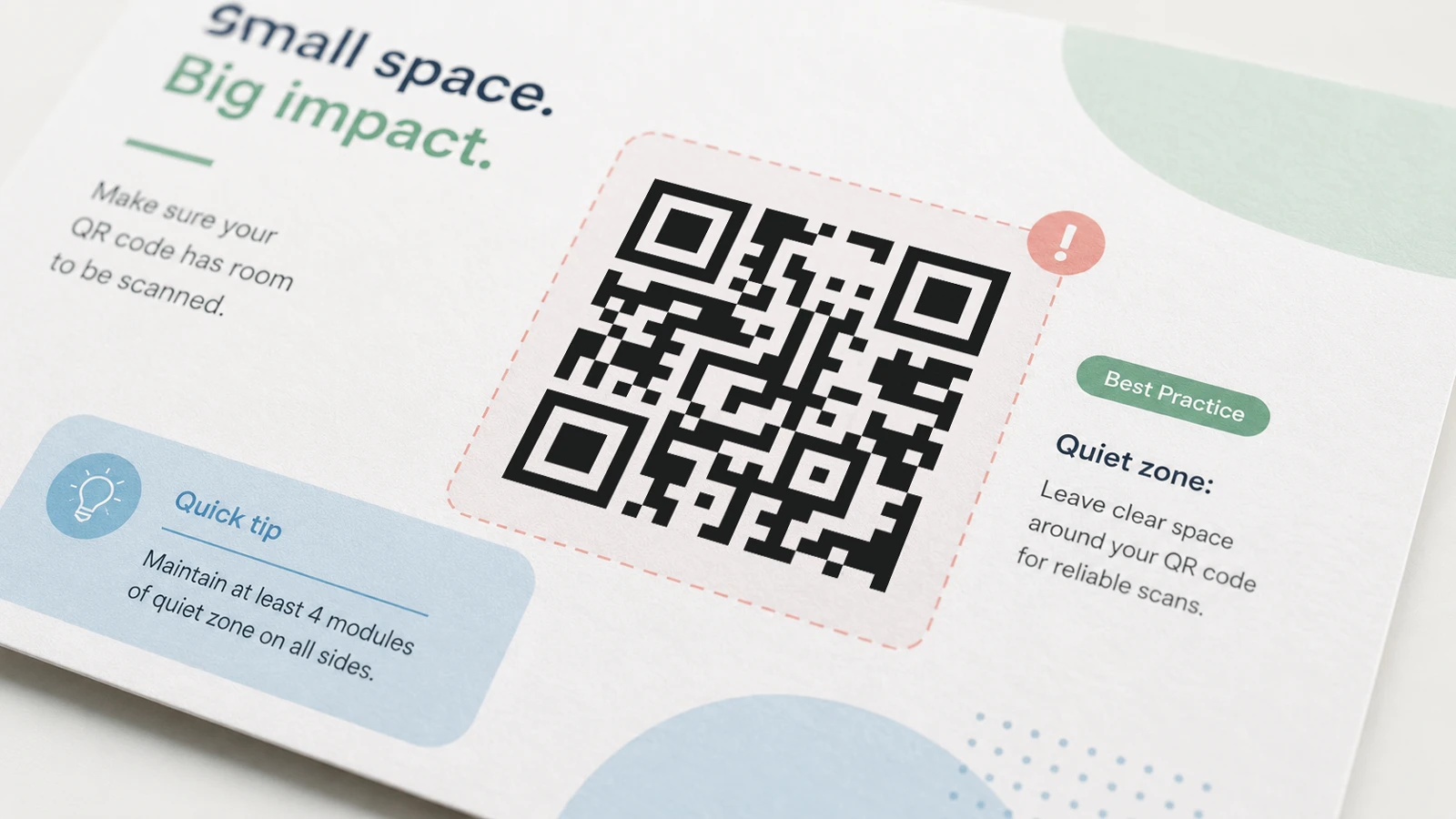
Removing the quiet zone
The quiet zone is the blank margin around the QR code. It gives scanners enough separation between the code and the surrounding design.
AI tools may crop the QR code tighter, extend a background pattern into the margin, or add decorative elements too close to the edge.
The result can look tidy in the final layout and still scan poorly.
Smoothing sharp edges
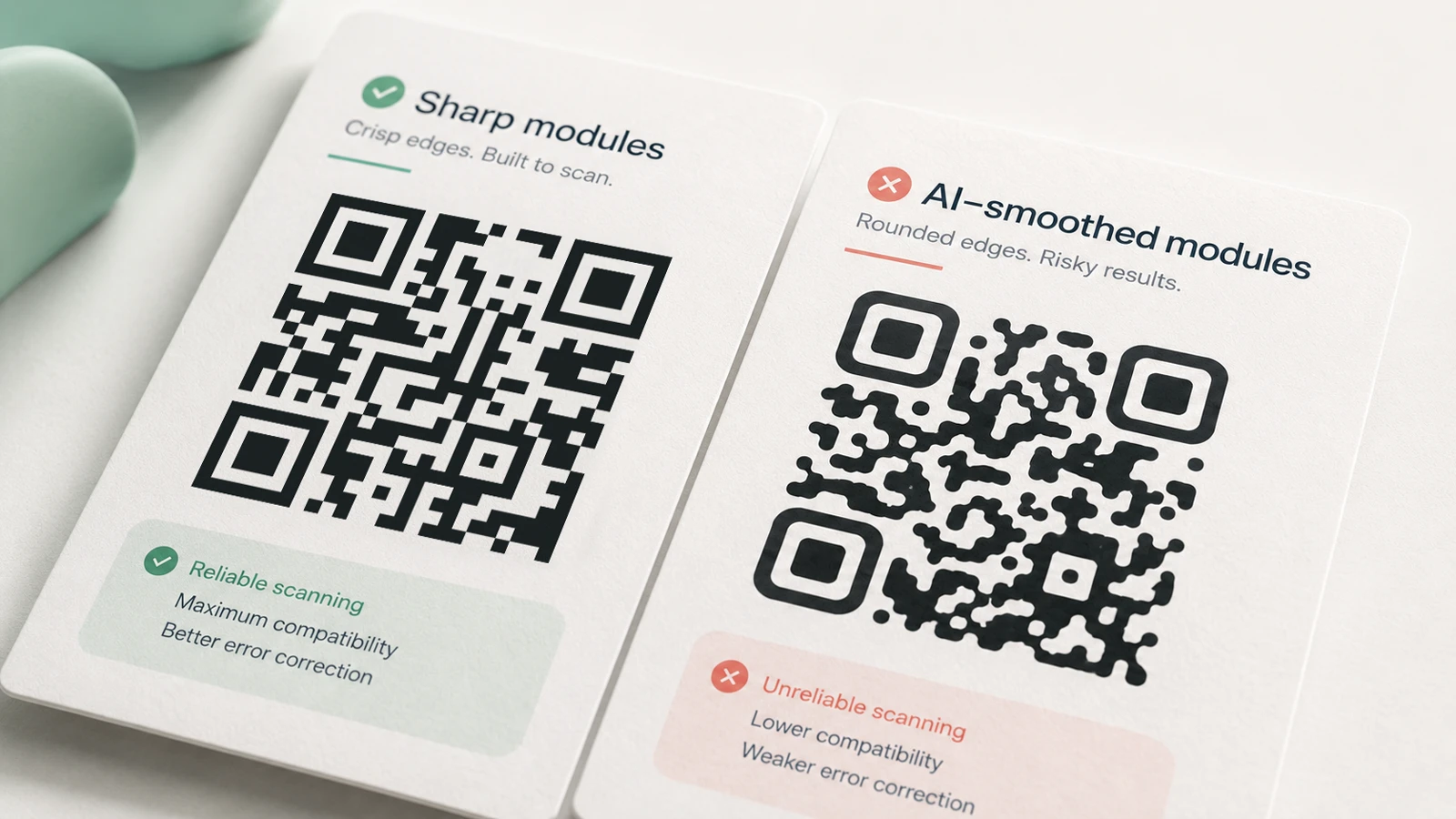
QR codes need clear contrast between modules. Image models, upscalers, and design filters often soften edges because that usually makes images look nicer.
That works for portraits.
It is not great for a machine-readable grid.
Smoothing can blur the boundary between black and white modules, especially after the file is exported, compressed, printed, photographed, and scanned under real lighting.
Rounding modules
Rounded QR code modules can work when generated properly by software that respects the QR structure.
But when an AI image model rounds modules by redrawing the whole code, it may accidentally merge small shapes, shrink gaps, or alter the data pattern.
The result can be a stylish broken QR code. Very modern. Very useless.
Adding reflections, shadows, and texture
AI-generated mockups often add shadows, shine, folds, paper grain, reflections, gradients, and lighting effects.
Those details can make a product package look realistic. They can also reduce contrast or distort the code.
This is especially risky on:
- glossy labels
- curved packaging
- folded brochures
- metallic cards
- product mockups
- posters shown at an angle
The final image may be beautiful. The scanner does not care.
Recreating low-resolution QR codes
Design teams sometimes paste a small QR code into an AI tool and ask it to “make this higher resolution.”
That sounds reasonable. Unfortunately, QR codes are not normal low-resolution artwork.
An AI upscaler may invent sharper-looking modules instead of preserving the exact module grid. It may guess missing pixels. It may “correct” details that were not wrong.
For a QR code, confident guessing is dangerous.
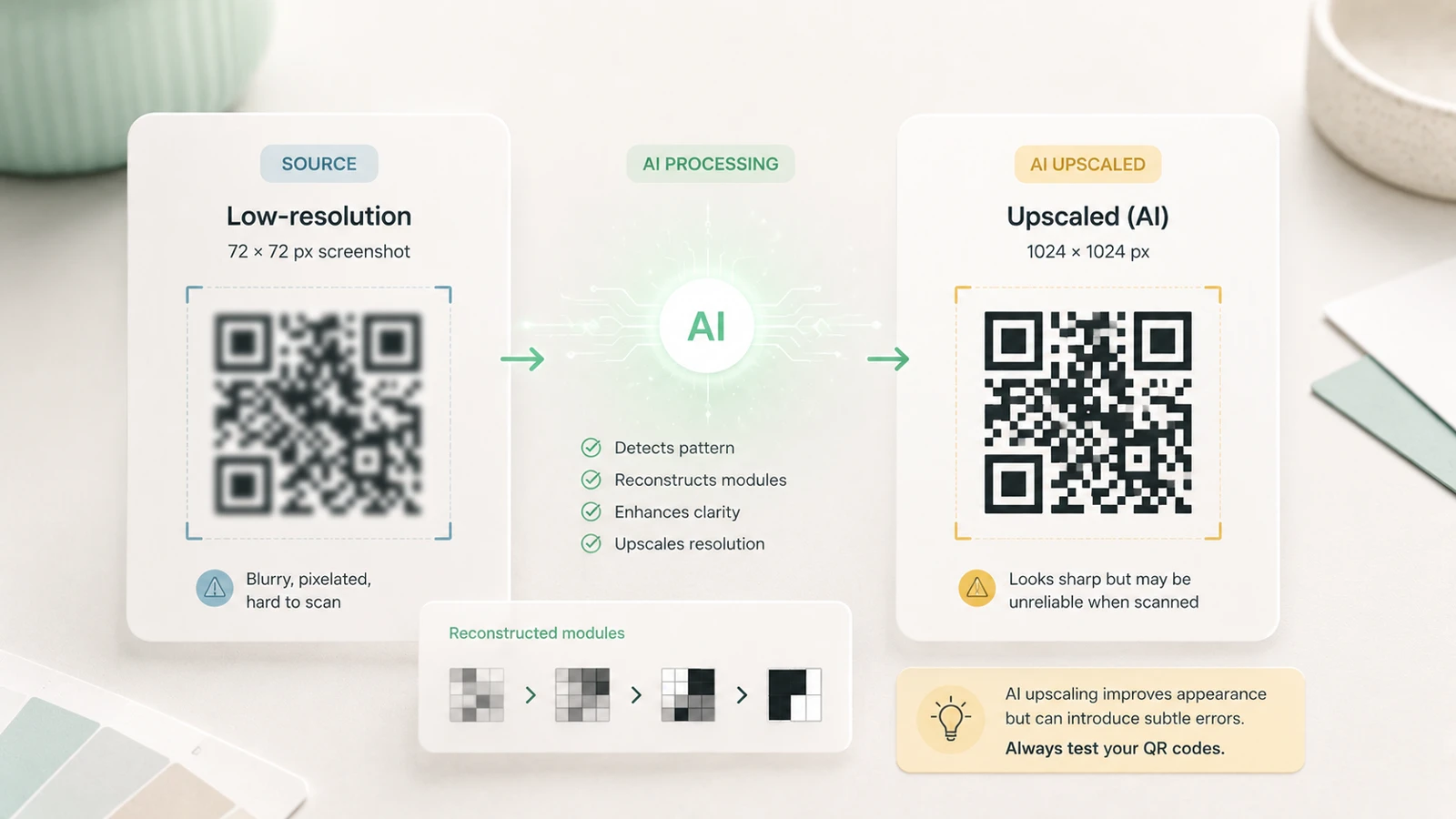
If you need a larger QR code, regenerate it from the original data or download a vector file. Do not ask an image model to reconstruct the pattern from a blurry screenshot.
Placing logos over important areas
QR codes can include logos, but only when the code is generated with enough error correction and the logo is placed safely.
AI models do not reliably understand which parts of the code can be covered and which parts must remain untouched.
They may place a logo over a finder pattern, timing pattern, or too much encoded data. The code may still look like a fancy branded QR code, but scan failure is now hiding inside the design.
Perspective corrections and mockup edits
AI tools often straighten, warp, crop, or “improve” perspective.
That can be helpful for normal images. For QR codes, perspective changes can make modules uneven. A phone camera can handle some perspective distortion in the real world, but a damaged source image gives it less room to recover.
The code has already been bent before the customer even scans it.
Regenerating SVG or PNG assets
Some workflows convert, trace, or regenerate assets. A QR code might be exported, imported, vectorized, compressed, and then passed through AI cleanup.
Every step is a chance to change the pattern.
The safest QR workflow is boring: generate the code from data, keep it as a clean SVG or high-resolution PNG, place it late in the design, and test the final export.
The dangerous part: broken QR codes often look normal
The scariest QR failures are not obvious.
If a code is visibly mangled, someone will notice. If a big chunk is missing, the problem is easy to catch.
The expensive mistakes happen when the QR code looks perfect.
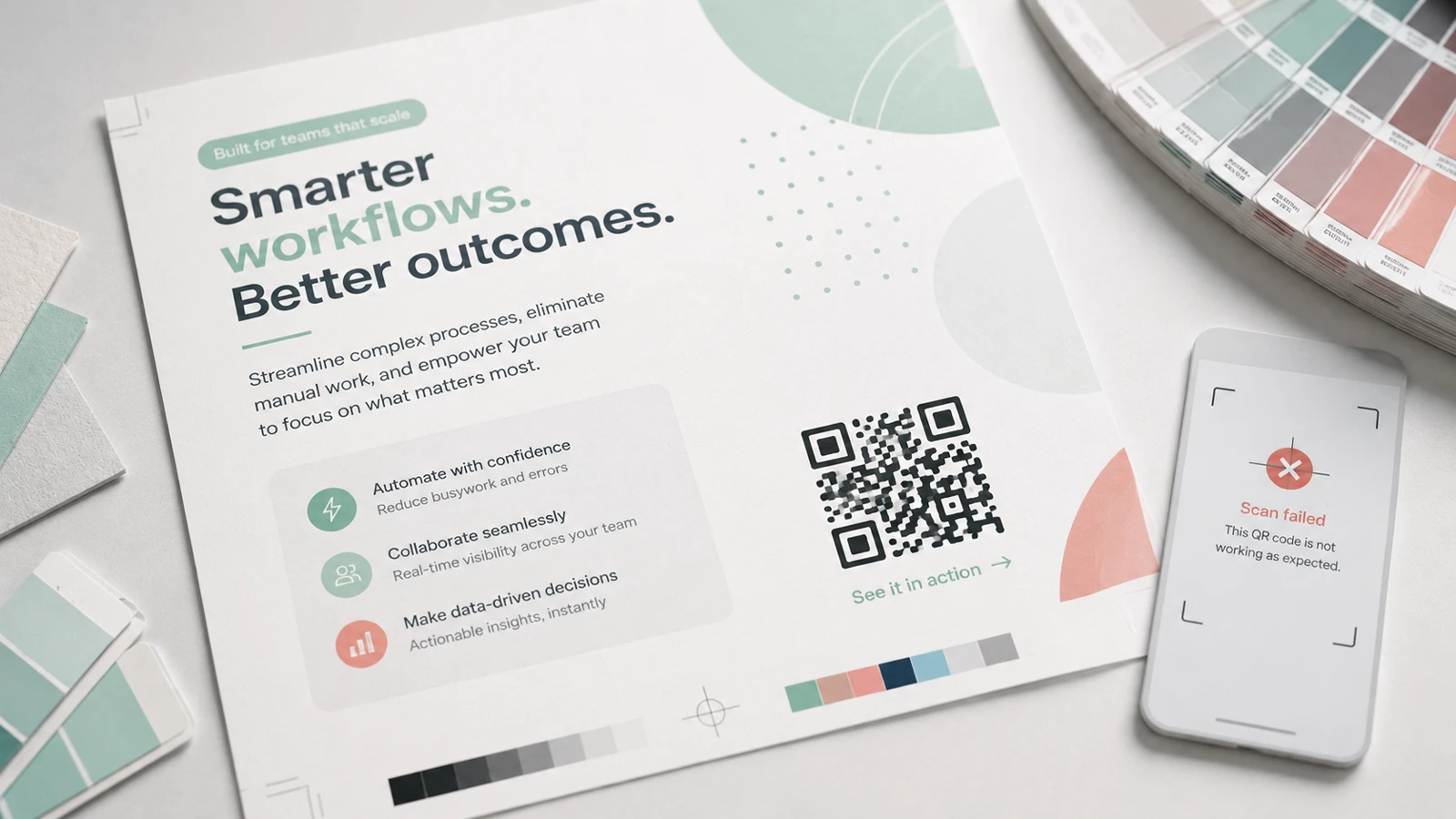
It sits on the flyer. It passes the internal review. It appears in the packaging proof. The team checks the copy, the colors, the logo, the legal text, the crop marks, the phone number, the headline, and the price.
Nobody scans the final exported file.
Then the campaign goes live.
The failure may only appear after:
- printing thousands of flyers
- ordering business cards
- producing packaging
- publishing ads
- sending direct mail
- installing event signage
- uploading a social graphic
At that point, the QR code is not a small design issue. It is a bridge to your campaign that does not reach the other side.
Best practices for AI and QR code design
You do not need to avoid AI tools.
You just need to keep them away from the final QR code pattern unless you are ready to test the result.
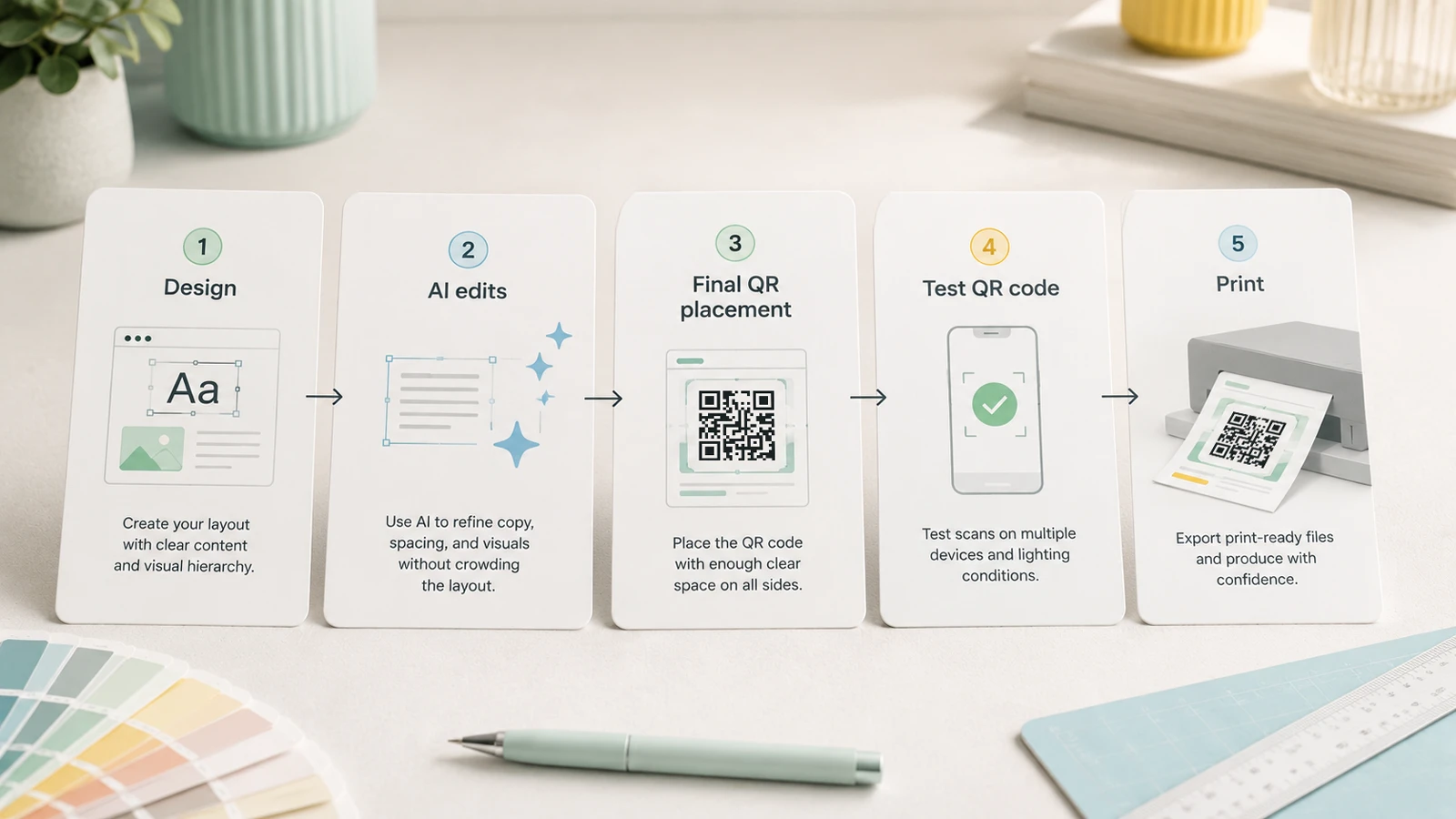
Here is a safer workflow:
- Finish the design.
- Use AI for layout exploration, background generation, copy variations, mockups, or visual polish.
- Insert the QR code as one of the final elements.
- Avoid AI image editing after the QR code is placed.
- Export the final file.
- Scan the exported file.
- Print a sample.
- Scan the printed sample.
- Test with multiple devices.
That may sound repetitive. It is cheaper than discovering the problem after production.
For print, test the QR code under realistic conditions:
- at the final printed size
- from a normal scanning distance
- under average lighting
- on the actual material if possible
- with both iPhone and Android devices
- after the file has gone through the real export workflow
Do not only test the original QR code file. Test the final PDF, image, package proof, or print sample that customers will actually see.
That is the version that matters.
If AI touches the QR code, scan it again
This is the simple rule.
If an AI image model touches your QR code, scan it again.
Not the earlier version. Not the source SVG. Not the draft from before the background was regenerated.
Scan the final exported version.
If the QR code appears in a printed item, scan the printed sample too. Screens are forgiving. Paper, ink, lighting, reflections, and distance are less polite.
This applies when AI is used to:
- upscale a QR code
- redesign a flyer
- generate a product mockup
- add a logo
- remove a background
- sharpen an image
- recreate a blurry asset
- change perspective
- export a “cleaner” version
If the QR code changed visually, treat it as unverified until scanned.
Dynamic QR codes reduce risk
Dynamic QR codes do not prevent image models from damaging the visible QR pattern.
But they reduce a different kind of risk: destination changes.
If your printed QR code points to a short dynamic redirect, you can update the destination behind it without generating a new QR code every time the landing page changes.
That matters because every regeneration, redesign, and re-export creates another opportunity for mistakes.
A stable printed QR code is safer than repeatedly creating new QR graphics for the same campaign.
The clean workflow is:
- Create a short dynamic QR code.
- Place that stable code in the design.
- Keep the printed QR pattern unchanged.
- Update the destination URL behind the redirect when needed.
That gives you flexibility without constantly touching the machine-readable square.
For campaigns where QR codes appear on packaging, direct mail, event signs, or business cards, this is a practical advantage. The printed object can stay the same while the destination evolves.
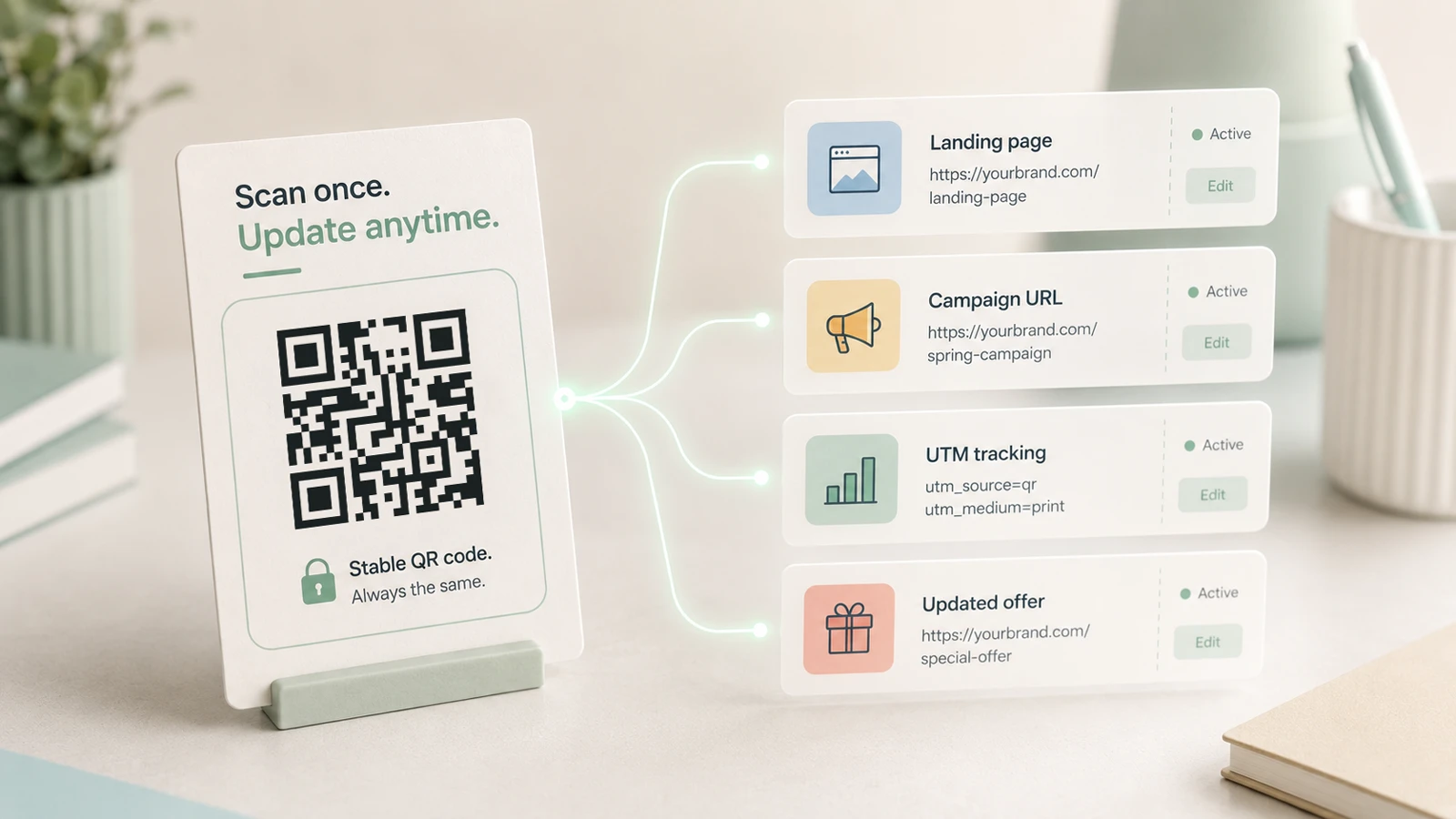
Start with dynamic QR codes when the destination may change. If you need a quick static code, use the Free URL-to-QR Code Generator.
If the QR code includes campaign tracking, put UTM parameters behind the redirect. This keeps the visible QR code simpler and the analytics cleaner. For the full setup, read Why UTM Tags Are Crucial for QR Codes and Print Campaigns.
Practical checklist before printing
Before you approve a QR code for print, packaging, signage, or a paid campaign, check this:
- The QR code has a clear quiet zone.
- The modules are sharp and high contrast.
- No AI tool has redrawn the QR pattern after generation.
- The final exported file scans.
- A printed sample scans.
- The code works on multiple devices.
- The destination URL is correct.
- Tracking parameters work if you use them.
- The QR code is large enough for the real scanning distance.
- The destination can be updated if the printed asset will live for a long time.
This is not anti-AI. It is pro-not-reprinting-thousands-of-things.
AI can help with the design around the QR code. It can make the flyer more attractive, the product mockup cleaner, and the social graphic more polished.
Just remember that the QR code itself is data.
Final takeaway
AI can generate QR codes.
AI can edit QR codes.
AI does not guarantee that QR codes still work.
If an AI image model touches your QR code, scan it again.
Create a QR code that survives the real world
Use a clean QR code, keep the pattern stable, and test the final export before printing.
If the destination may change later, use a short dynamic QR code so the printed square can stay the same while the link behind it changes.