ChatGPT can create an initial Yohn demo card without a separate form or Yohn account. Add the Yohn Wallet Card plugin, provide your name and email address and, optionally, a phone number, then confirm the details. The delivery email contains Apple Wallet, Google Wallet, and Set up my card links.
The initial card is active for seven days and can be added to Wallet and shared immediately. It contains the details supplied in ChatGPT; signing in to the Yohn dashboard is required to change them or build out the full profile.
How to create a digital business card with ChatGPT
The public ChatGPT listing is called Yohn Wallet Card. Once you add the plugin to your tools, you can create a card by describing what you need in ordinary language.
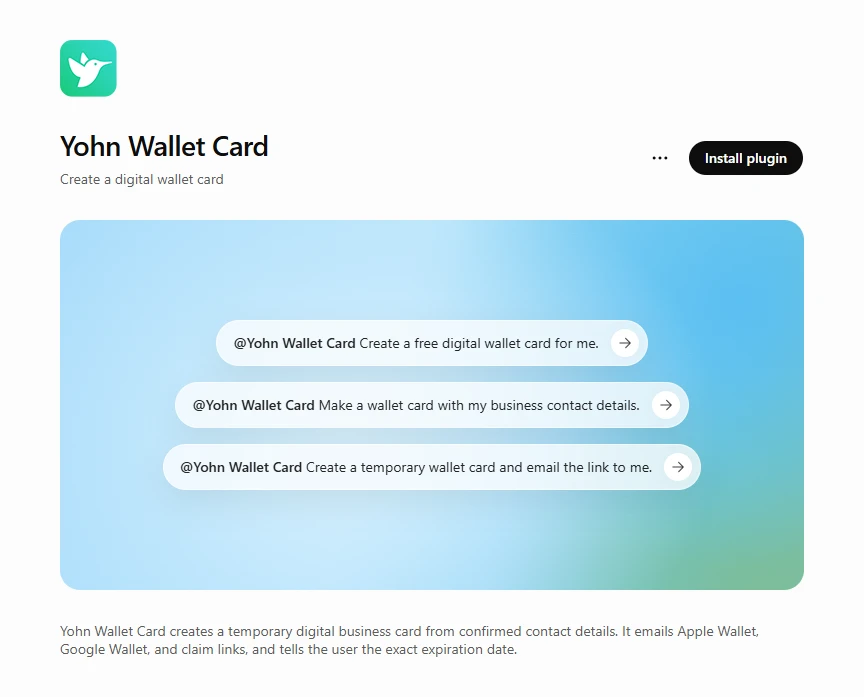
- Open the Yohn Wallet Card plugin in ChatGPT and add it to your ChatGPT tools.
- Ask ChatGPT to create a Yohn digital business card.
- Provide your contact details when prompted.
- Review the summary and confirm that the information is correct.
- After Yohn creates the card, check your email for the Wallet links and the card setup link.
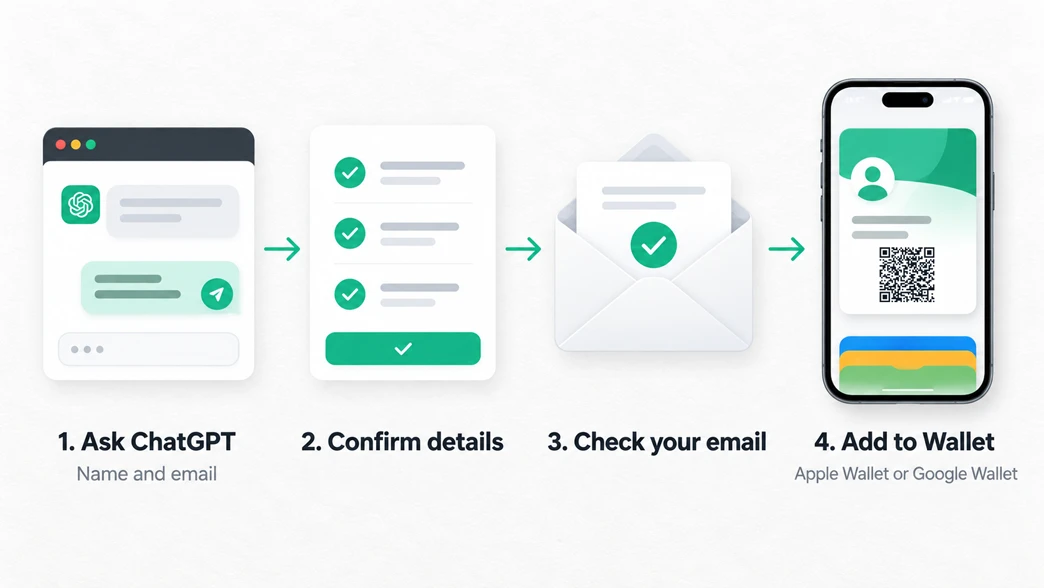
You stay in the same ChatGPT conversation throughout the process. There is no separate Yohn form to complete.
What information ChatGPT needs
To create the initial demo card, ChatGPT asks for your first name, last name, and email address. You can also add a phone number, but it is optional.
Before anything is created, ChatGPT presents the information for review. Check the spelling of your name and email address carefully, add a phone number if you want it included, and confirm only when the details are correct.
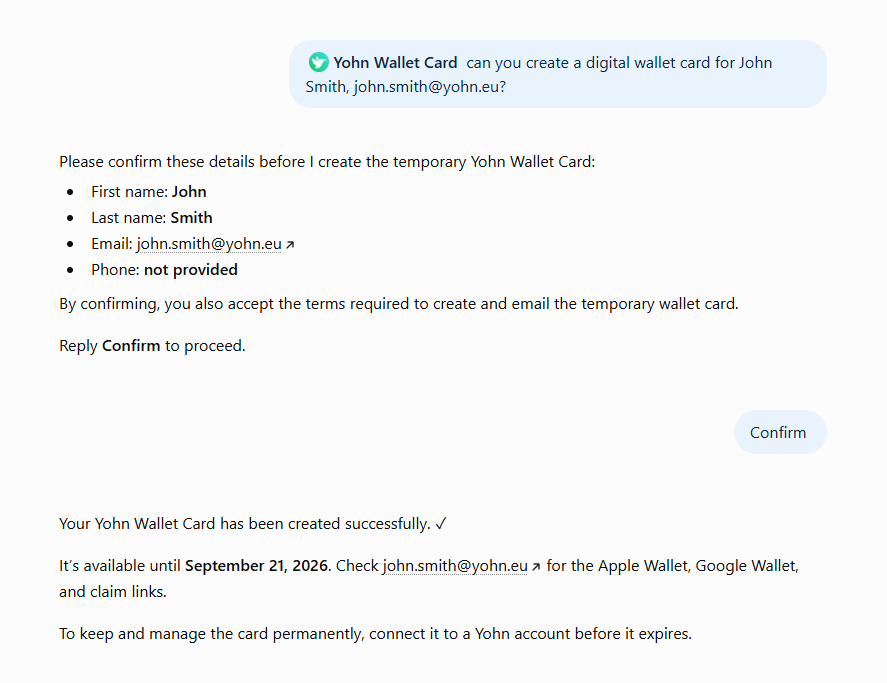
This confirmation step prevents a mistyped address or name from being carried into the card. It also makes the optional phone field explicit: leaving it blank does not stop the card from being created.
What happens after Yohn creates the card
Yohn creates an initial demo card and ChatGPT displays its exact expiration date. The card remains active for seven days.
An email is sent to the address you confirmed. It contains links for Apple Wallet, Google Wallet, and the card setup page. You do not need a Yohn account to create the initial card, add it to Wallet, or share it.
The initial card contains the details collected in ChatGPT. To change them or add a profile photo, company logo, LinkedIn profile, WhatsApp, or other information, select Set up my card and sign in to the Yohn dashboard.
The demo card has no feature limitations. The seven-day duration is the limit: after signing in, all configuration options are available during the demo period.
Add the card to Apple Wallet or Google Wallet
Open the delivery email on your phone and choose the option that matches your device:
- Add the card to Apple Wallet on iPhone.
- Add the card to Google Wallet on Android.
Once added, the card is available in the Wallet app you already use for passes and tickets. You do not have to find the original ChatGPT conversation each time you want to show it.
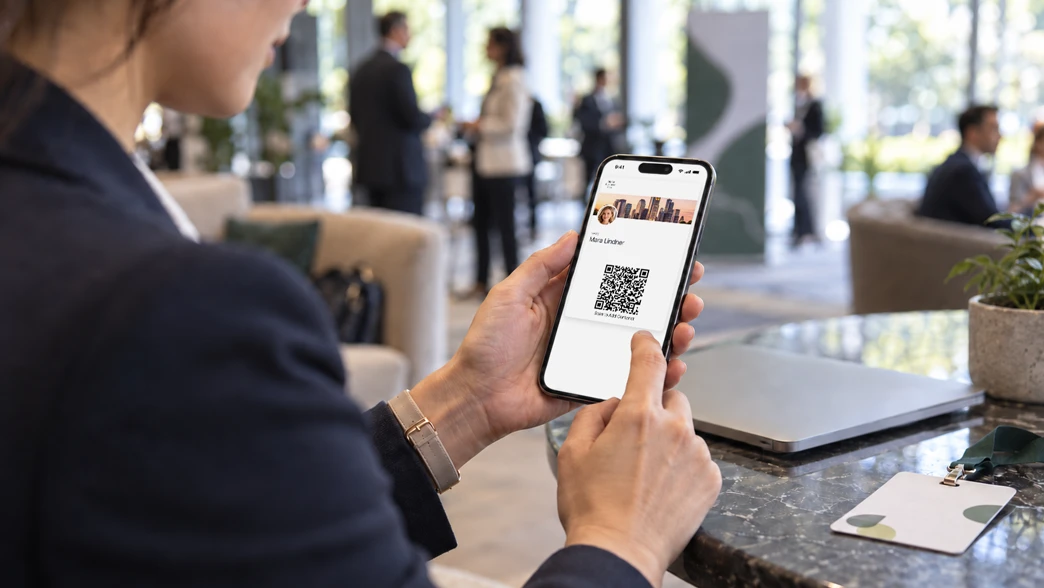
Keeping a digital business card in your phone’s Wallet app is especially convenient during busy events and meetings: the card stays close at hand without another networking app or a stack of paper cards.
Share the card using its QR code
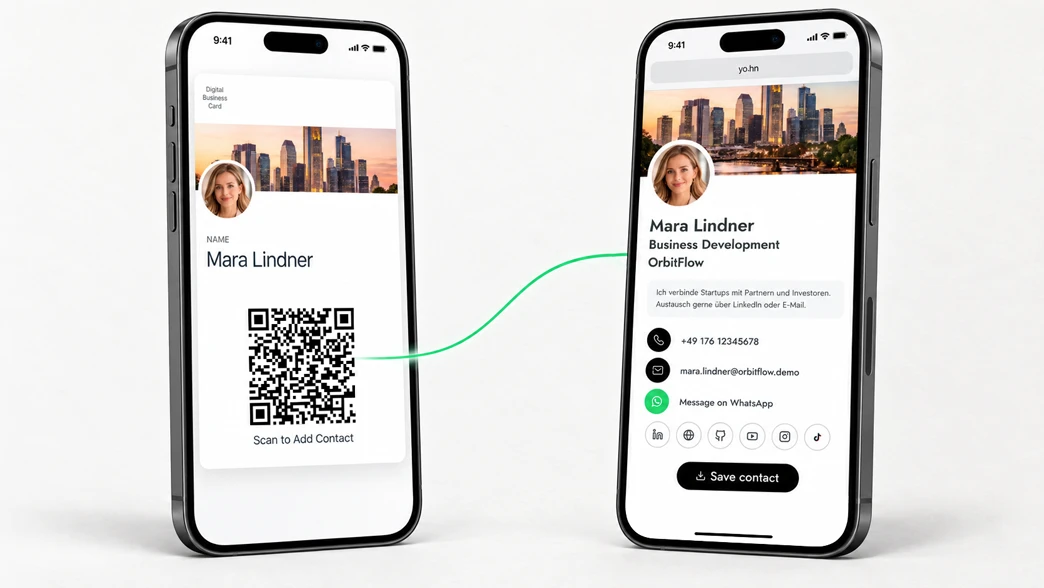
Open the card in Apple Wallet or Google Wallet and show its QR code. The other person scans it with their normal phone camera and opens your online profile, where they can view your details and choose how to connect.
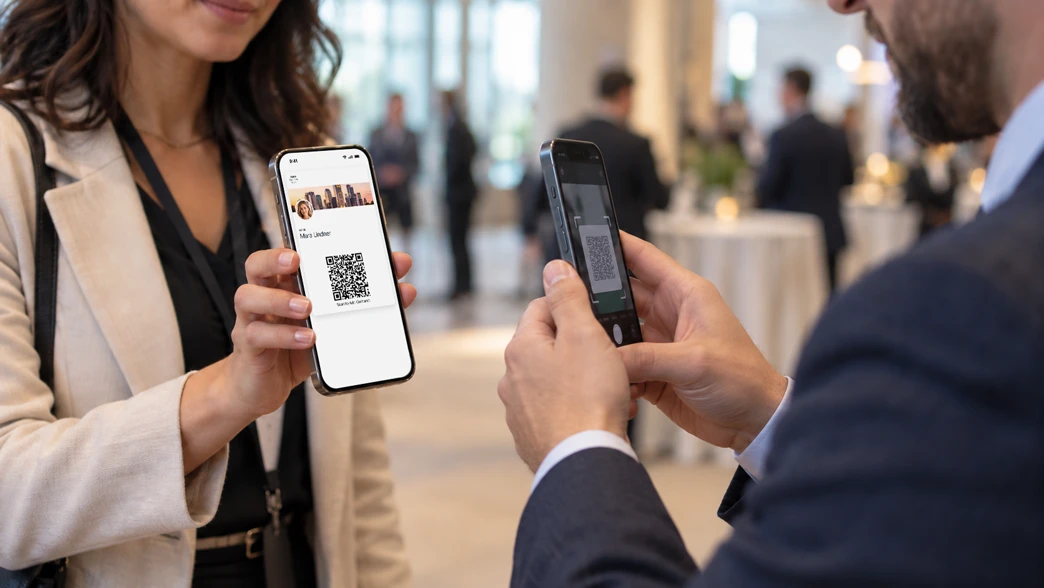
The recipient does not need ChatGPT, the Yohn plugin, a Yohn account, or a dedicated app. The same card can be scanned by modern iPhone and Android devices, regardless of whether you keep it in Apple Wallet or Google Wallet.
This makes the exchange practical across phone platforms: the Wallet app stores the card on your device, while the QR code gives recipients direct access to the profile. For a deeper comparison of online profiles and offline contact QR codes, read how digital business cards work online, offline, and in your Wallet.
When creating a card in ChatGPT is useful
Creating a card in ChatGPT is most useful when you need a professional way to share details quickly and do not want to begin with a separate registration flow.
Before a trade show or conference
If your paper cards are outdated or running out, you can create an initial demo card before the event and keep its QR code ready on your phone. For company-wide deployments and organized event teams, explore Yohn’s digital business cards for conferences and trade shows.
Before a last-minute meeting
A meeting arranged at short notice leaves little time for printing. You can create the card while preparing your agenda, add it to your Wallet, and have it available when the conversation begins.
For consultants, freelancers, and sales teams
People who work across client sites and events need a card that is easy to carry and quick to share. A Wallet card avoids manual contact entry and lets a new connection open the online profile while the introduction is still fresh.
When evaluating Yohn
The demo is limited by time, not features. Sign in to the Yohn dashboard to configure the full profile and test all card options during the seven-day period.
Prompts for creating a business card
You do not need a special command. Start with a short request such as:
Create a Yohn digital business card for me.
You can also describe how you plan to use it:
I need a digital business card for Apple Wallet.
Create a business card I can share with a QR code.
Or provide the known details in your first message:
Create a Yohn digital business card for Alex Morgan. Use alex@example.com and include +1 555 010 1234 as the phone number.
ChatGPT will still present the details for confirmation before Yohn creates the card.
Frequently asked questions
Can ChatGPT create a digital business card?
Yes. Add the Yohn Wallet Card plugin, provide and confirm your contact details in the conversation, and Yohn will create an initial seven-day demo card.
Do I need a Yohn account?
You can create the initial demo card without a Yohn account. To fully set it up, edit its information, or add more details, you must select Set up my card and sign in to the Yohn dashboard. Once signed in, the seven-day demo has no feature limitations.
Does the recipient need ChatGPT or Yohn?
No. The recipient scans the QR code with their phone camera and opens your online profile without installing ChatGPT, adding the Yohn plugin, or creating a Yohn account.
Can Android and iPhone users scan the same card?
Yes. Modern iPhone and Android devices can scan the same QR code. You can store your own card in Apple Wallet or Google Wallet without limiting which phones recipients can use.
How long does the demo card remain active?
The demo card remains active for seven days. ChatGPT shows the exact expiration date after Yohn creates it.
Create your digital business card
Create your Yohn digital business card in ChatGPT.
Prefer using a web form? Create one with Yohn’s free digital business card generator.